Hertz Explorer Mac App Store

Your EEG,
up close.

Hertz Explorer shows the live signal of your EEG headset and helps you understand it: the trace from the forehead, the 7 frequency bands, the spectrum. Every number in its unit, from the actual signal.

For Macs with Apple silicon, macOS 15 or later. Free with the full Demo; the real headset unlocks with a 3-day trial, then €19.99/year or €47.99 forever.

smooth FP1 trace 7 bands in µV 0–50 Hz spectrum time machine relaxation training Touch Bar English · Italian no data collected
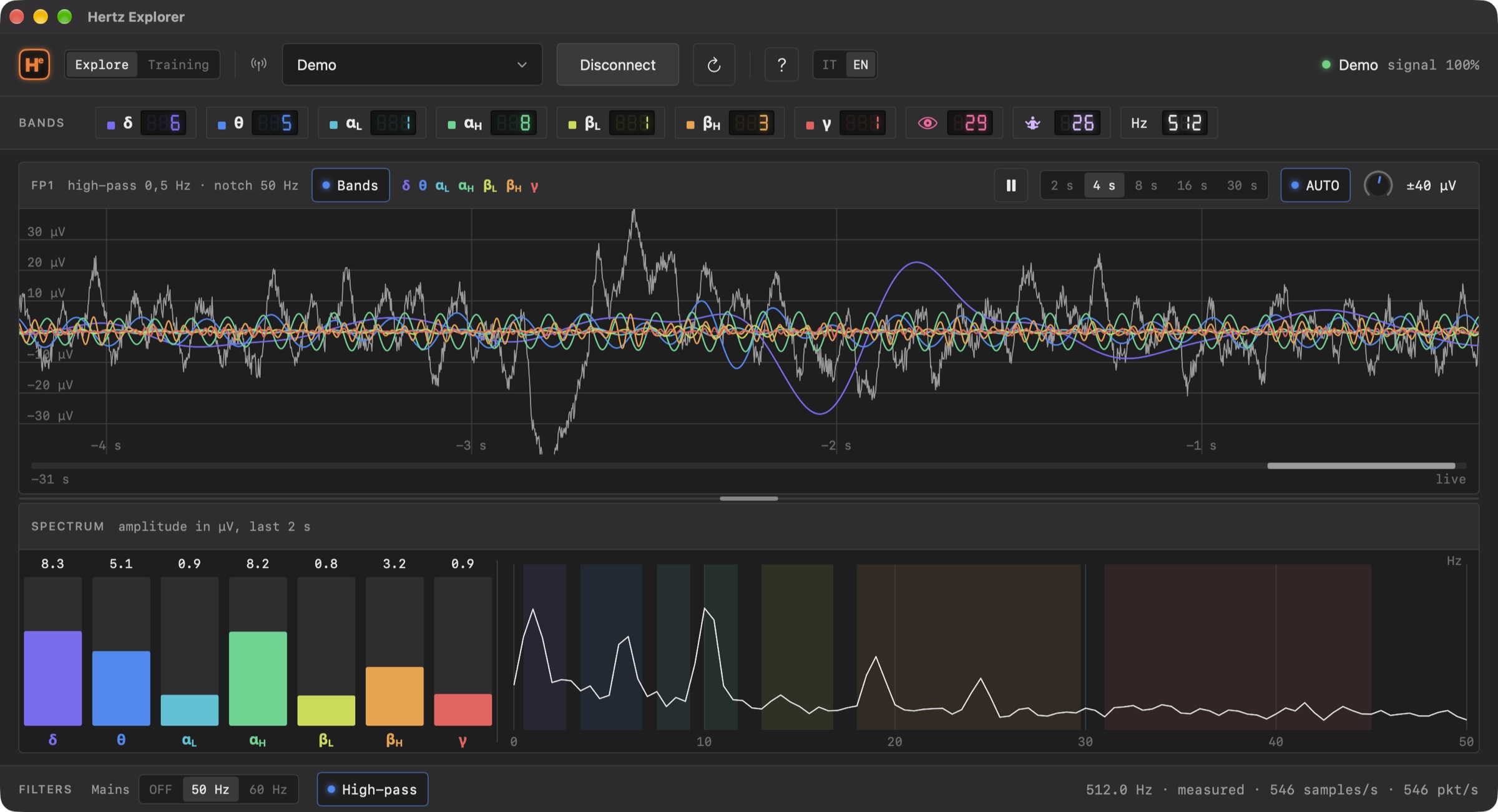
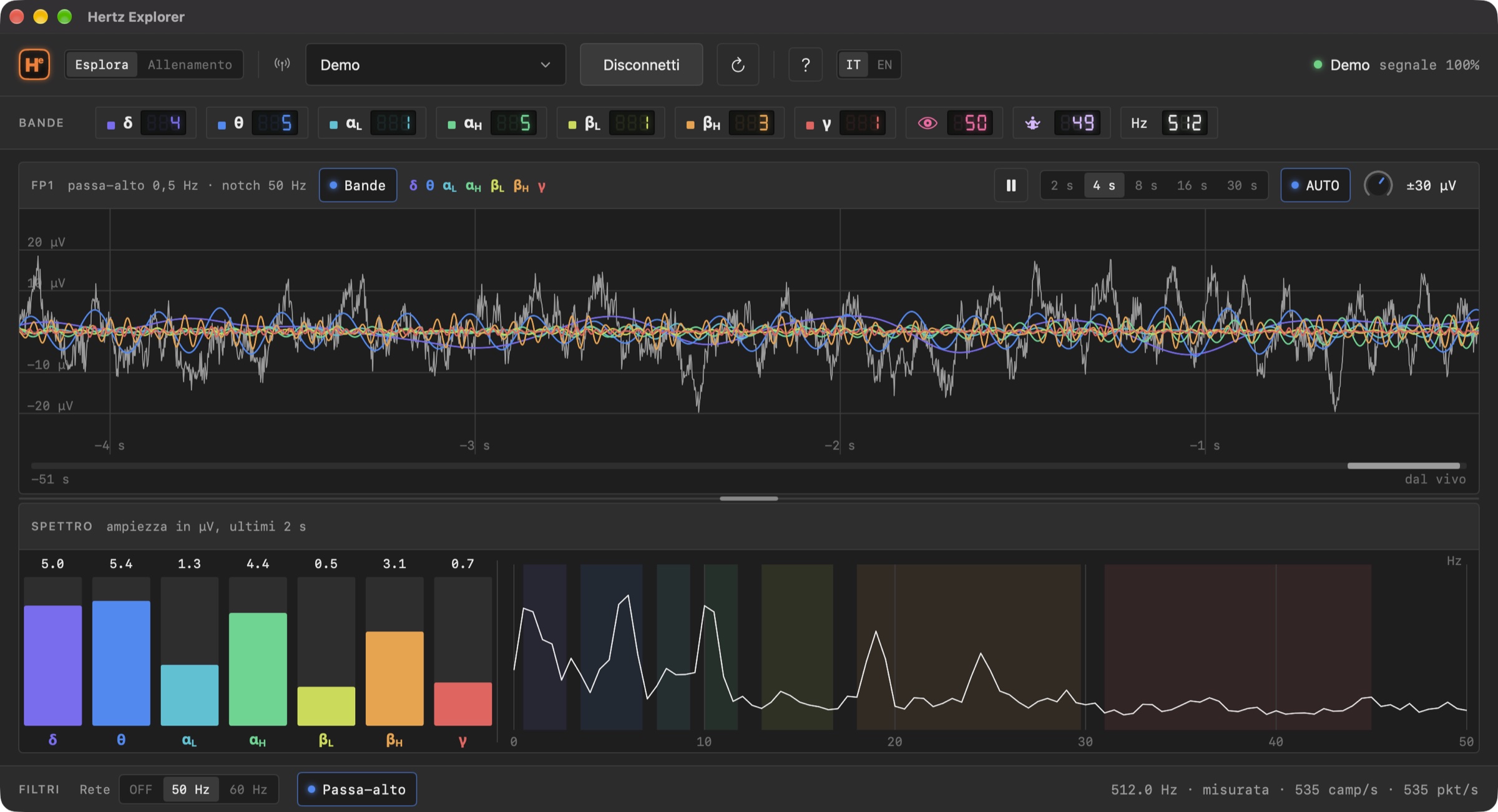
The Hertz Explorer window: trace with the 7 bands drawn over it, strip of amplitudes in µV, 0–50 Hz spectrum
Explore, with the 7 bands on over the trace. At the top the amplitudes in µV band by band, at the bottom the spectrum and the filters.
In thirty seconds

One electrode on the forehead. Everything that's inside.

Consumer EEG headsets give you two numbers, "attention" and "meditation", and don't tell you where they come from. Hertz Explorer opens the box: it takes the raw signal the headset sends over Bluetooth and shows it to you whole, the way someone who studies it would see it.

The trace, live

The signal from the FP1 electrode runs at a constant speed, even when Bluetooth delivers it in bursts. Windows from 2 to 30 seconds, amplitude zoom from ±5 to ±500 µV, an automatic scale that isn't fooled by a blink.

7 bands and the spectrum

Delta, theta, two alphas, two betas and gamma, each drawn in its own colour over the trace and measured in µV. Next to it, the spectrum from 0 to 50 Hz: how much amplitude there is at each frequency, right now.

The time machine

Pause and go back through the last few minutes by dragging the trace. A cursor reads the moment, the µV and the dominant band; spectrum and amplitudes follow the point you're looking at. Nothing saved to disk.

Try it now, even without a headset

At launch the app is in Demo mode: a believable synthetic EEG, with a breathing alpha and an occasional blink. Every feature can be tried this way, before you even pair a headset. When you have one, pick it from the device menu and press Connect.

  • Nothing to configure: the app detects the sampling rate (512 Hz on the MindWave, about 250 on clones).
  • Filters ready: power-line hum (50 or 60 Hz, chosen from your Mac's region) and electrode drift.
  • Built-in guide in English and Italian, with the keyboard shortcuts.
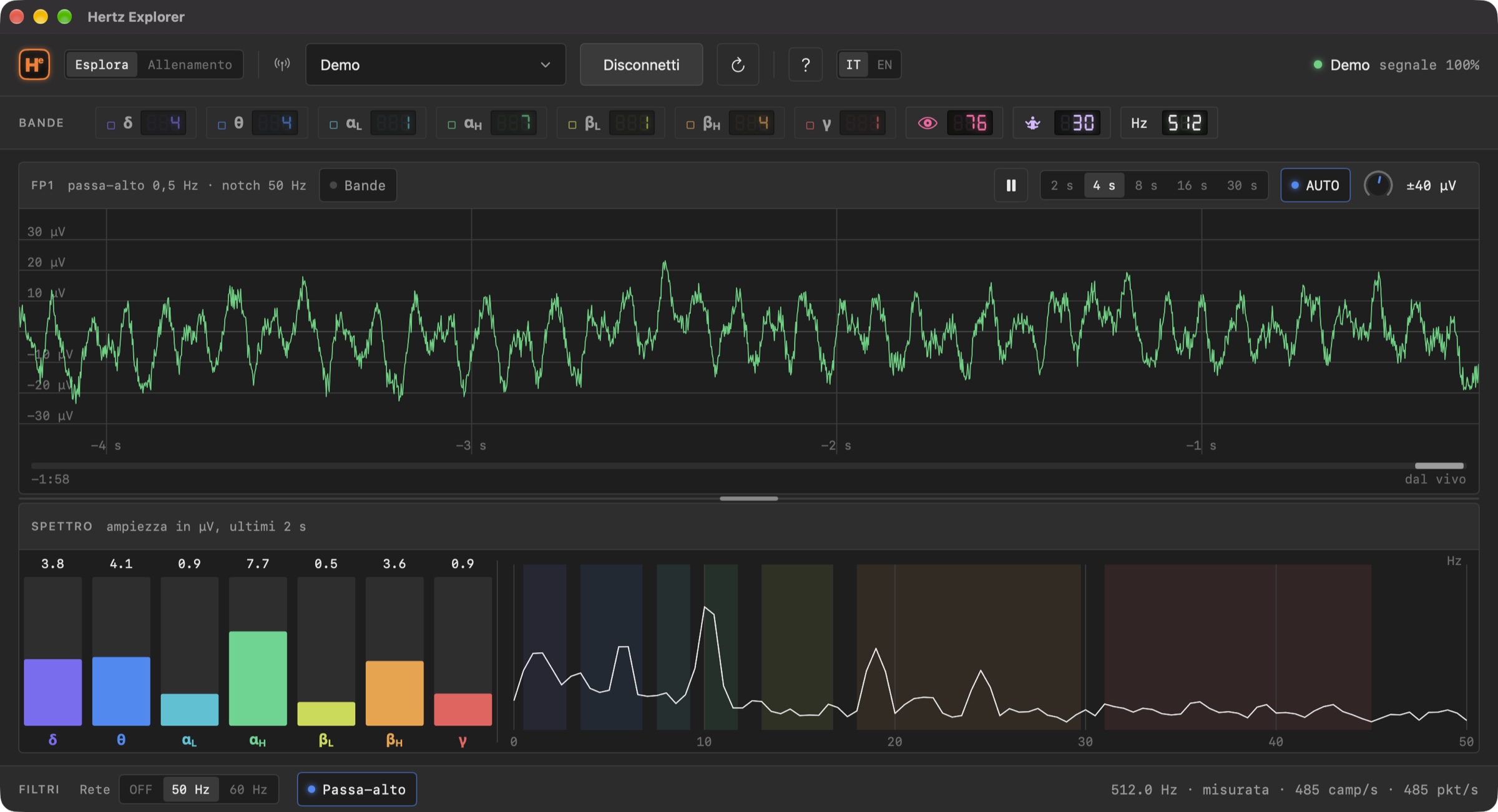
The raw green trace, without bands, in the Hertz Explorer window
Just the trace. Green when it's on its own, grey when the bands are drawn over it: the colour is information, not decoration.
How the window is laid out

Four strips, no hidden menus.

Everything you need fits in a single window, from 1024 points up. It resizes, splits with the handle between trace and spectrum, and remembers how you left it.

Top bar: logo, Explore/Training, device menu, Connect, guide, language, status
01 · TOP BAR

Section, device, status

The Explore | Training selector, the menu of paired headsets (with the Demo), Connect, the button that reloads the Bluetooth devices, the guide, the IT | EN language switch.

On the right the status LED: green connected with a good signal, yellow connecting or electrode not touching, red error. Next to it, contact quality and headset battery.

LCD strip: the 7 bands with their amplitude in µV, attention, relaxation, sampling rate
02 · BAND STRIP

Seven segment displays, in µV

Each band has its own display: the amplitude in microvolts computed over the last 2 seconds, that of a pure wave carrying the energy of the whole band. A click on the chip turns the band on or off on the trace.

Then attention and relaxation (0–100) and the Hz display with the detected sampling rate.

Spectrum panel: band bars and curve from 0 to 50 Hz
03 · SPECTRUM

From 0 to 50 Hz, every fraction of a second

On the left the bars of the 7 bands, on the right the amplitude spectrum curve: how much energy there is at each frequency. The coloured zones are the bands; the gaps between bands are ThinkGear's own.

When paused the spectrum doesn't freeze on the last value: it is recomputed on the stretch of signal you're looking at.

Filter bar: Mains OFF/50/60 Hz, High-pass, measured rate, samples and packets per second
04 · FILTERS AND COUNTERS

Signal cleanup, and the truth about the stream

Mains removes the hum of the power line and its harmonics. High-pass at 0.5 Hz removes the slow drift of the electrode. Turn both off and you see the raw signal, as it is.

The footer gives the detected rate and where it comes from (from the chip, or measured against the Mac's clock), samples and packets per second, checksum errors. If the headset drops packets, you see it.

The 7 bands

The same ranges as the headset, but actually measured.

Hertz Explorer uses the ThinkGear standard bands, so the numbers compare with those of your headset. But it doesn't receive them from the chip: it computes them on the raw signal, with linear-phase filters and its own FFT, the same for every headset.

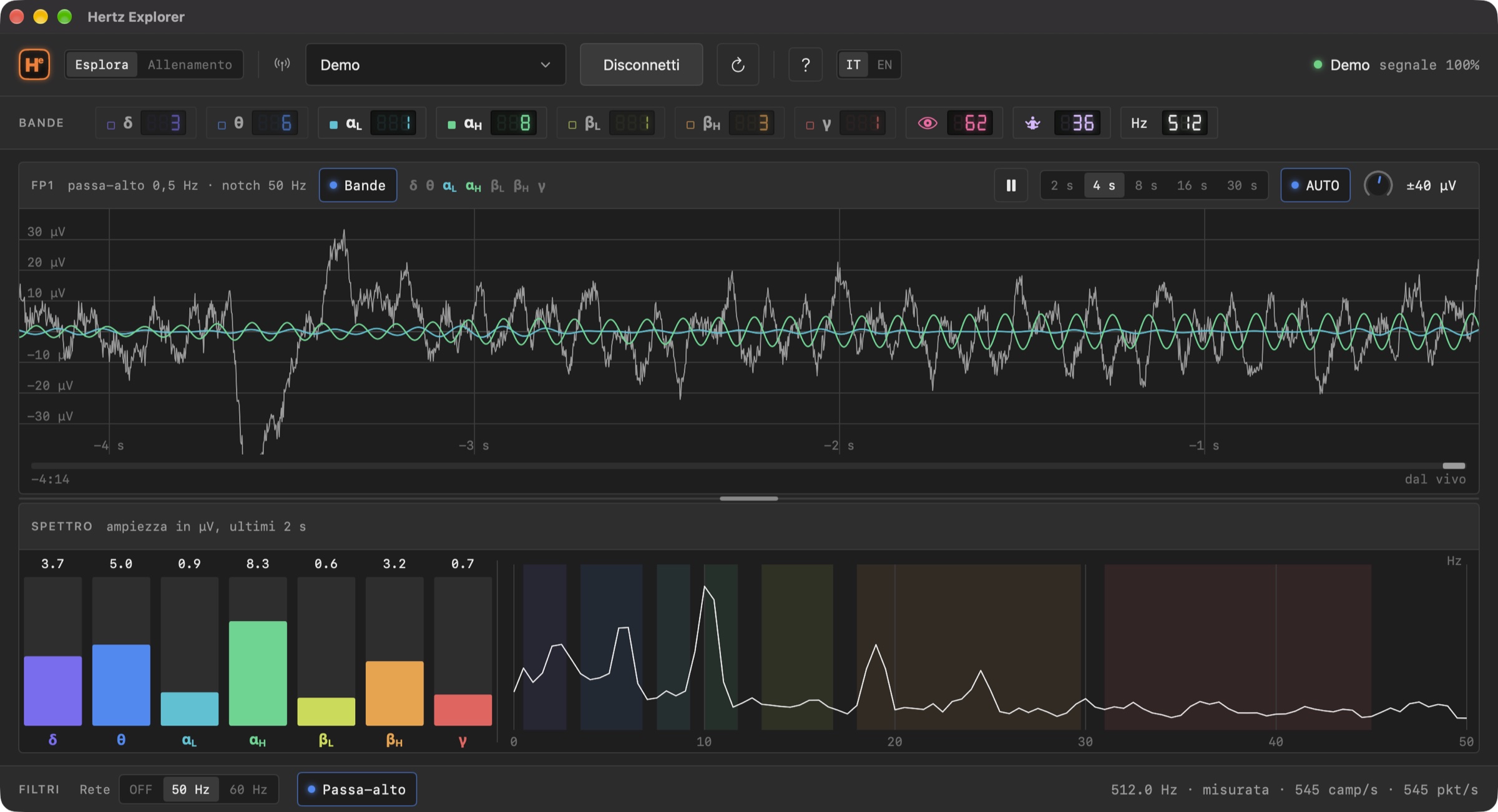
Trace with only the two alpha bands on
Only the two alphas. Each band turns on by itself with a click on its chip: here αL and αH, to see what happens when you close your eyes.
BandRangeWhat you usually find there
δ delta0.5–2.75 HzSlow, large waves: eye movements, breathing, electrode drift
θ theta3.5–6.75 HzDrowsiness, a blank stare; on the forehead, blinks too
αL low alpha7.5–9.25 HzEyes closed, stillness: the band you see rise most easily
αH high alpha10–11.75 HzAlert relaxation, the "classic" alpha rhythm
βL low beta13–16.75 HzCalm attention, active thinking
βH high beta18–29.75 HzIntense concentration, tension; muscles too
γ gamma31–45 HzWith a single electrode on the forehead, almost always the jaw muscles
Close your eyes for ten seconds

The alphas (αL, αH) usually grow, and drop when you open them again. It's the most famous experiment in EEG, and you see it on your own trace.

Blink

Large slow waves, unmistakable. You understand why an electrode on the forehead "sees" the eyes, and why the headset's indices sometimes jump.

Clench your teeth

Dense fast noise, mostly in γ. From then on you recognise muscles at a glance, and never mistake them for "brain activity" again.

Time machine

You stop the trace. The headset doesn't.

A scrolling trace is something you watch; one you can stop is something you understand. With the space bar the drawing stops, but the headset keeps filling memory: roughly the last 4 minutes (8 on 250 Hz clones). No files: memory is cleared when you quit the app.

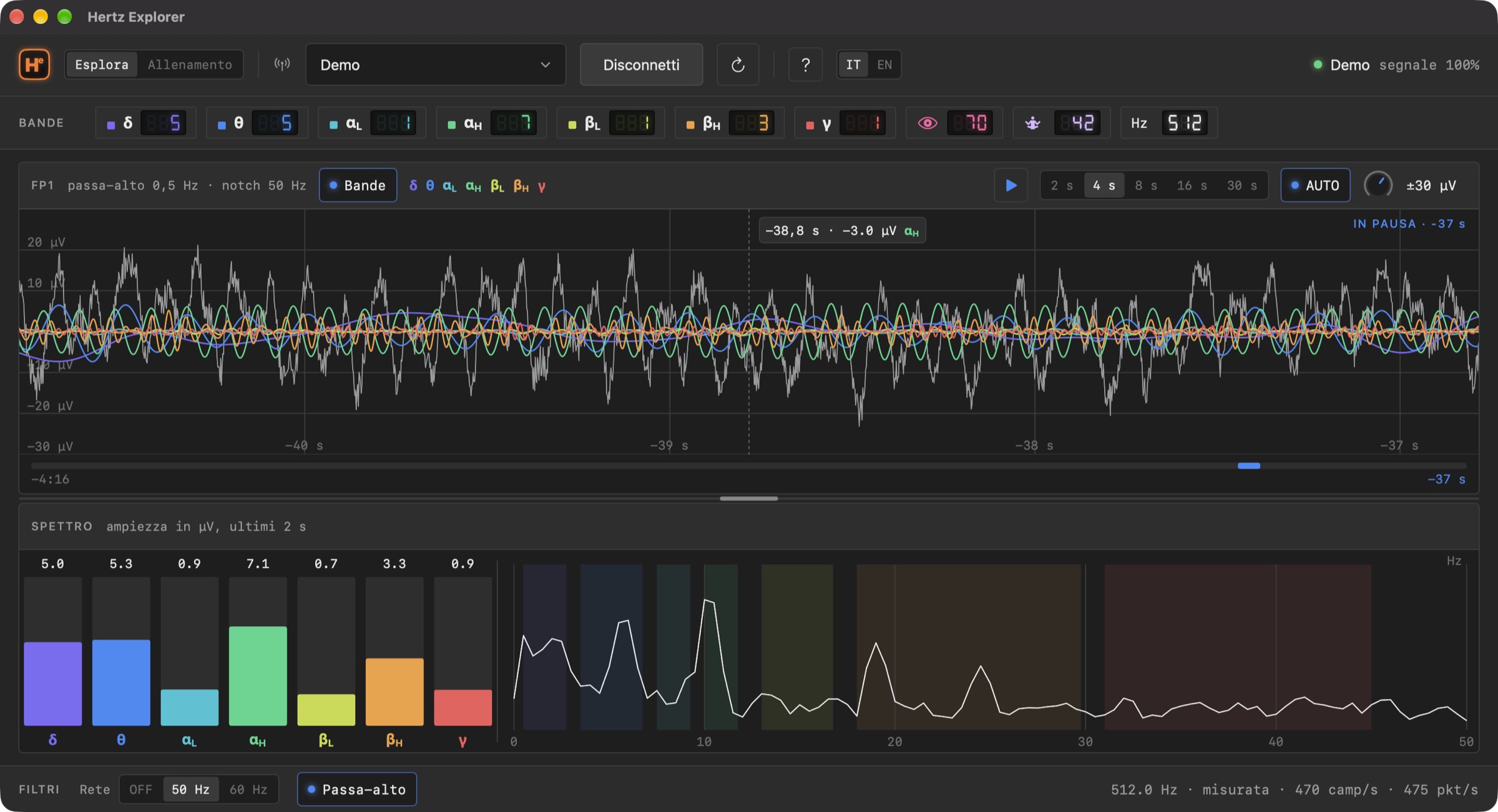
Paused trace with the reading cursor and the memory bar
Paused, 37 seconds back. The cursor under the mouse reads how long ago, how many µV and which band dominates at that point. The bar under the trace shows the whole memory and where you are.

Back and forth, as you like

  • Drag the trace, scroll with two fingers on the trackpad, or use ← →.
  • Click the memory bar to jump to a point.
  • Spectrum and displays are recomputed on the moment you're looking at, not on the latest sample.
  • Windows from 2 to 30 seconds: narrow to count the waves, wide to see an alpha come and go.
  • Amplitude zoom with the wheel, a pinch, the knob or ⌘+ ⌘−. Double-click the trace: back to AUTO.
  • ▶ or Space go back to live.
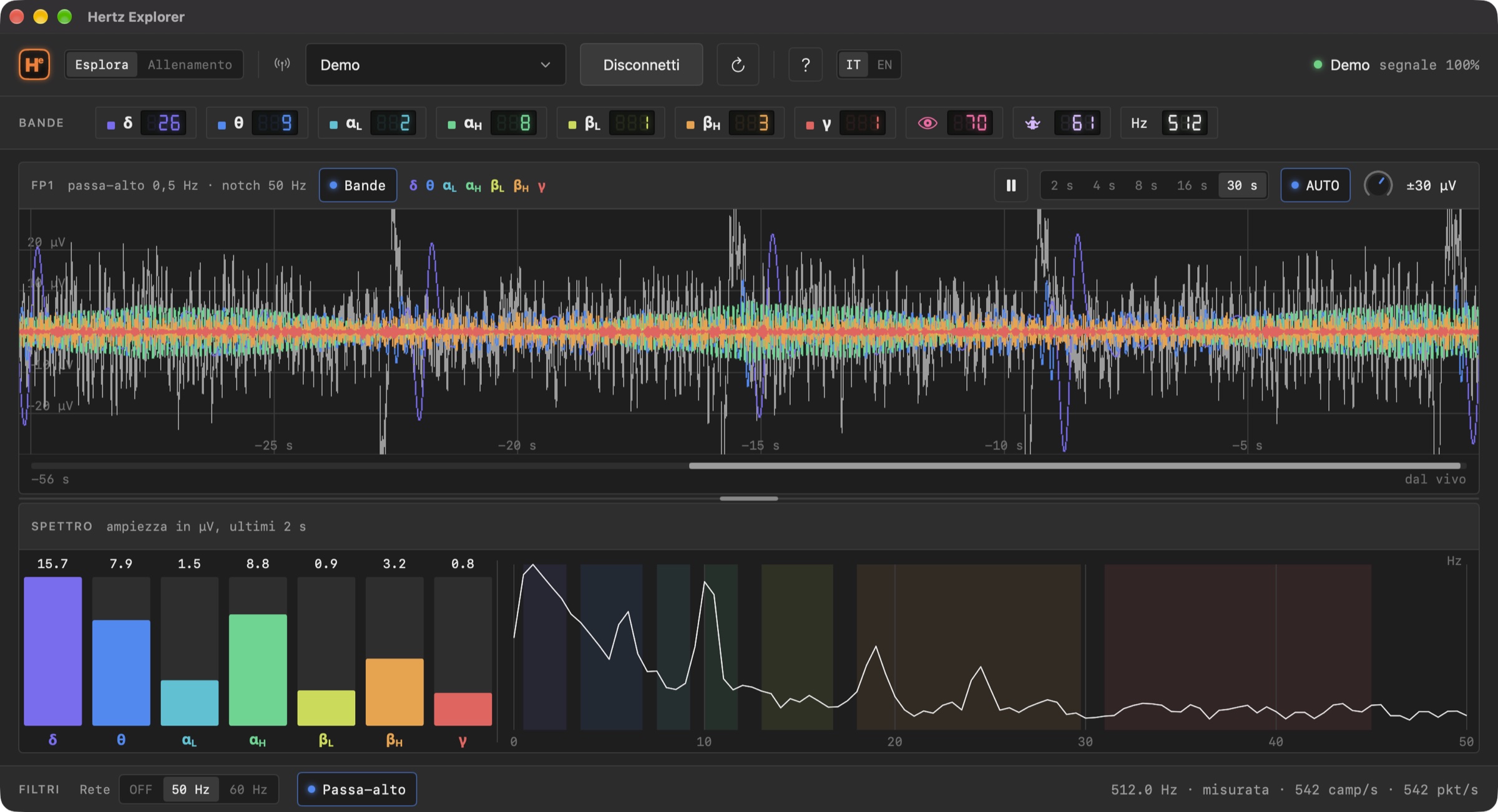
Trace window at 30 seconds
Thirty seconds in one window. Each pixel summarises several samples (minimum and maximum), so the trace stays readable even when compressed.

Smooth by design

Bluetooth delivers the signal in bursts, with pauses of up to half a second. Apps that draw "the latest samples received" stutter and stall. Hertz Explorer draws the window that ends a quarter of a second back, on an estimated arrival line: it runs at a constant speed, always.

The signal engine is written in Rust, with no dependencies, and draws every frame reading straight from the buffer: 512 samples per second and seven parallel filters don't make a MacBook sweat.

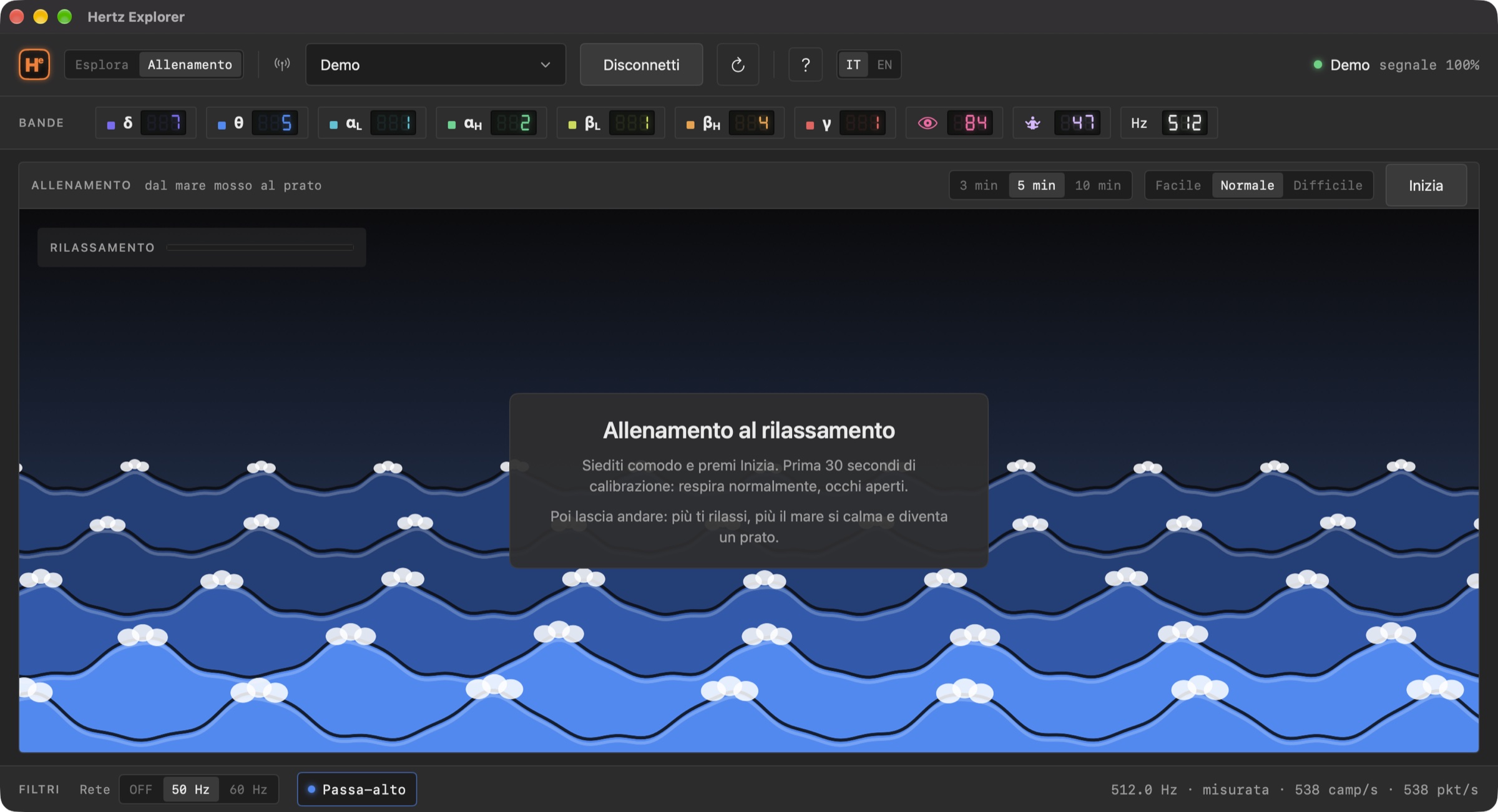
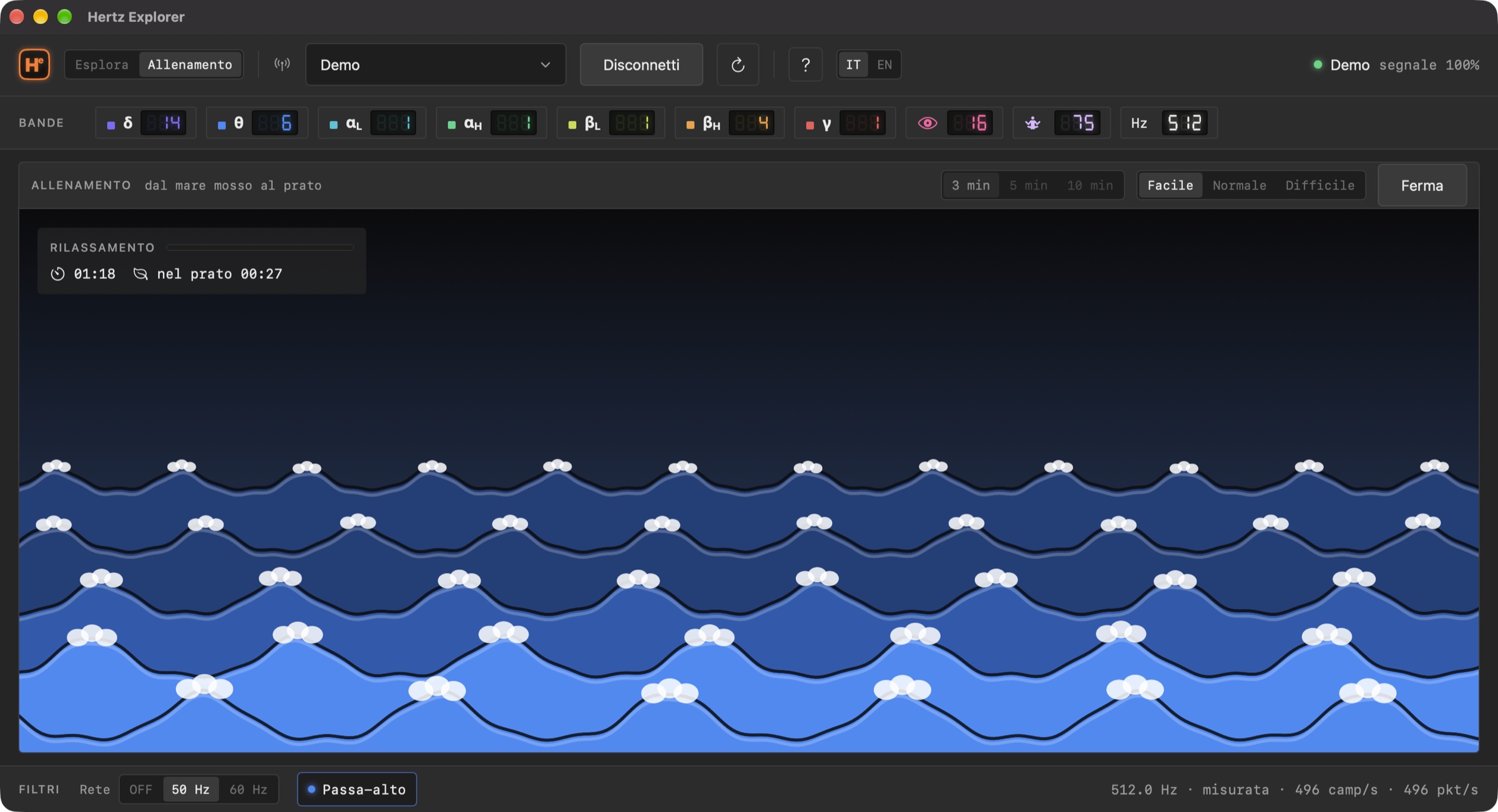
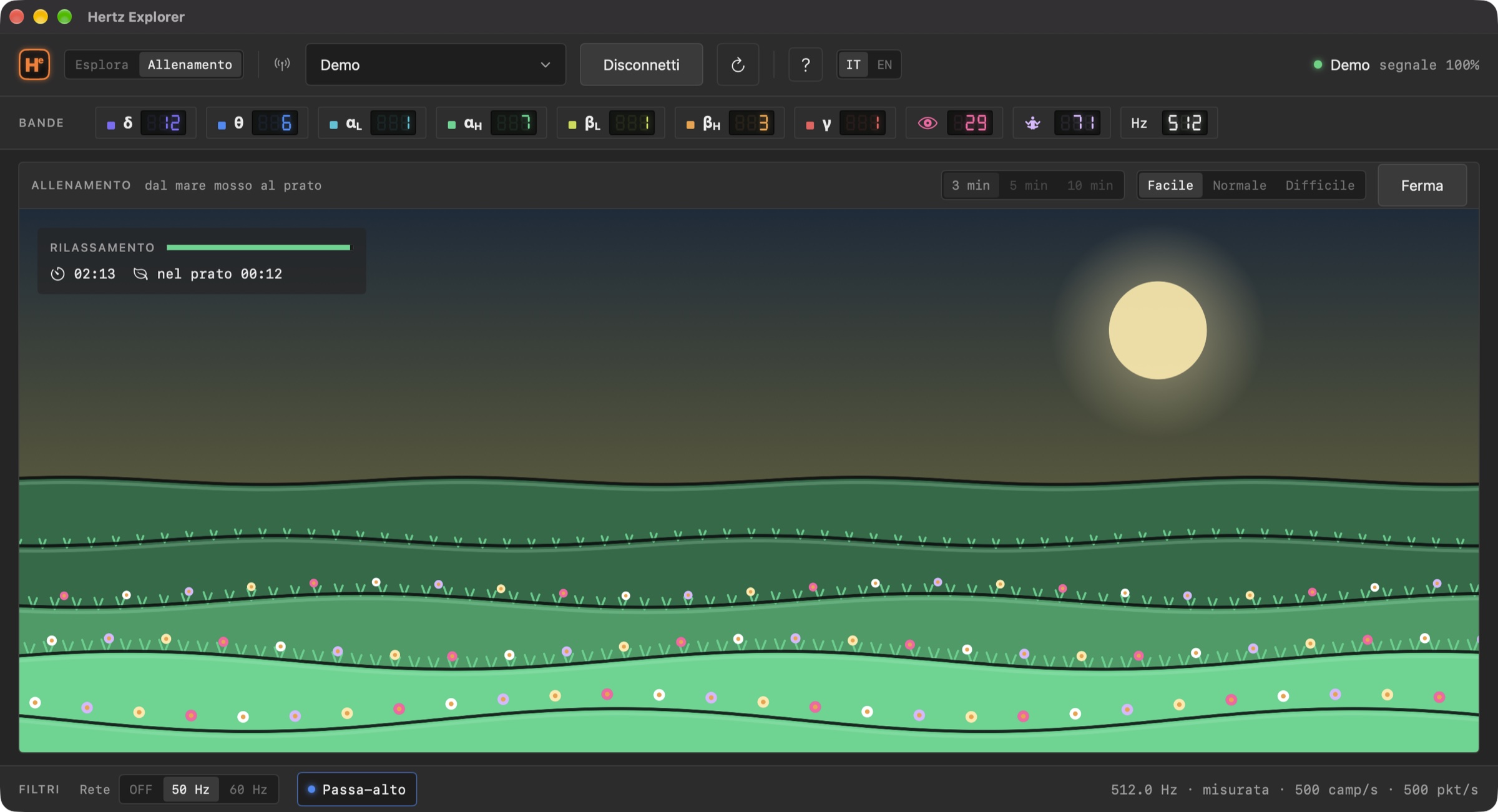
Training

From a rough sea to a meadow.

A relaxation game, not a therapy. Thirty seconds of calibration measure your baseline: every head and every headset is different, and the scene follows how far you move from yourself, not an absolute number. Then let go: the more you relax, the more the sea calms down, turns green and finally becomes a meadow in bloom, with the sun rising.

Indices that work with any headset

Many cheap clones don't send the chip's "attention" and "meditation" indices. Hertz Explorer doesn't need them: it computes relaxation and attention from the spectrum of the last 2 seconds, on your Mac.

  • Relaxation: compares alpha (αL + αH) with beta (βL + βH).
  • Attention: compares beta with alpha and theta.
  • Always relative to your baseline: 50 is "as during calibration", higher is more relaxed. No absolute scales, no comparisons with other people.
  • Noisy signal? The app says so and waits, instead of rewarding a blink.
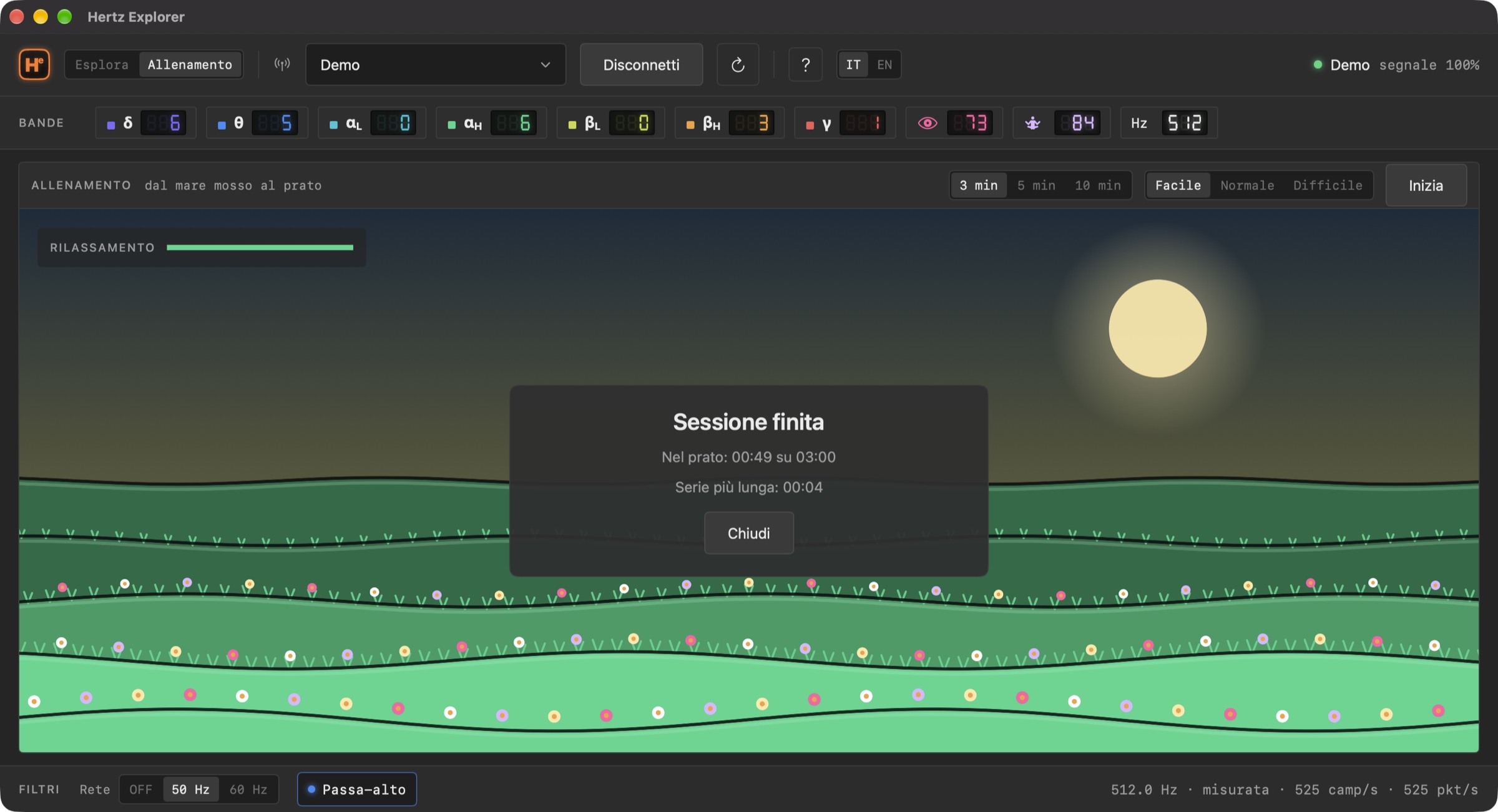
End-of-session card: time in the meadow and longest stretch
Session over. How long in the meadow, and the longest stretch.
Touch Bar

On MacBook Pros with a Touch Bar, the trace runs there too.

Same window, same scale, same engine, in miniature under your fingers. And next to it the controls you use most, without moving the mouse off the trace. This applies to MacBook Pros from 2016 to 2022; on other Macs nothing changes.

The Touch Bar with the live trace and the controls: pause, RAW/WAV, window, automatic scale, zoom
Live, with the bands (WAV).
The Touch Bar while paused
Paused: the Touch Bar tells you how far back in time you are.
⏸ / ▶Pause and back to live
RAW | WAVTrace only, or with the 7 bands over it
4 sThe seconds in the window: a tap moves to the next choice
↕Automatic amplitude scale
− +Amplitude zoom
Guide, languages, keyboard

Explained inside, in two languages.

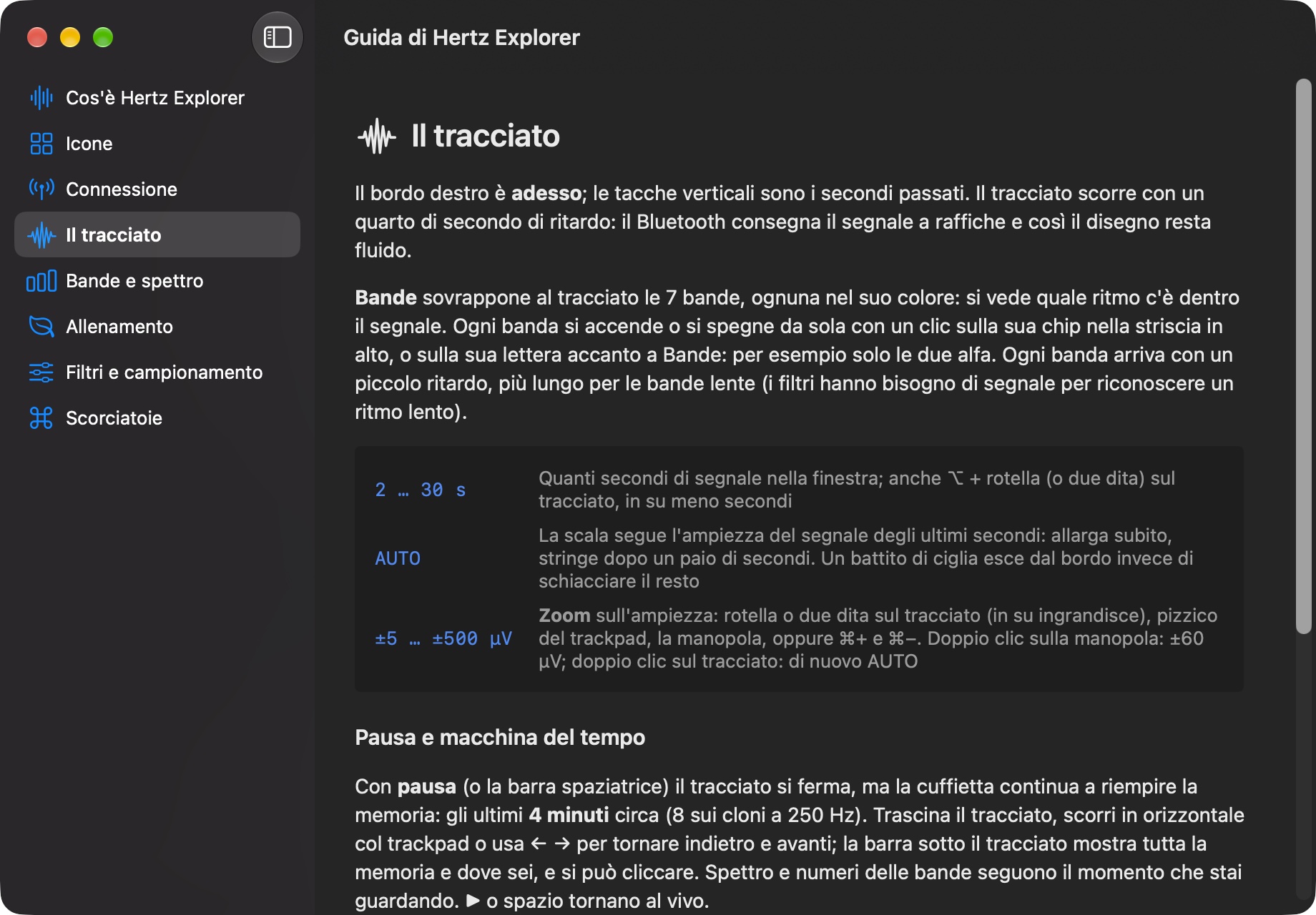
The built-in Hertz Explorer guide, topic The trace
The guide (⌘?). Eight topics: What is Hertz Explorer, Icons, Connecting, The trace, Bands and spectrum, Training, Filters and sampling, Shortcuts.
Hertz Explorer in Italian
In Italian with a click on the IT | EN switch, no restart needed. Guide, menus and Touch Bar follow.
Explore · Training⌘1 ⌘2
Connect / Disconnect⌘K
Bands on the trace⌘B
Pause / back to liveSpace
Back and forward in time← →
Zoom in / out⌘+ ⌘−
Automatic scale⌘0
Guide⌘?
Privacy

The signal stays on your Mac. Full stop.

No data collected

No account, no analytics, no ads, no tracking. The app doesn't use the network.

No files

The signal is never saved: the last few minutes stay in memory for pausing and vanish when you quit the app or change headset.

macOS sandbox

The only permission it asks for is Bluetooth, and it asks when you pick a headset, not at launch. The Demo starts without asking anything.

Pricing

Free to explore. A clear price for the real headset.

Download, open, and the Demo shows you everything: trace, bands, spectrum, time machine, training. No time limit, nothing asked.

  • 3-day trial, free: once, everything unlocked with your headset. At the end it disconnects; the Demo stays.
  • Yearly, €19.99: renews automatically, cancel any time in your App Store settings.
  • Forever, €47.99: one payment, no renewal, on all your Macs.

Prices in your country's currency are shown in the app. "Restore Purchases" is in the Signal menu.

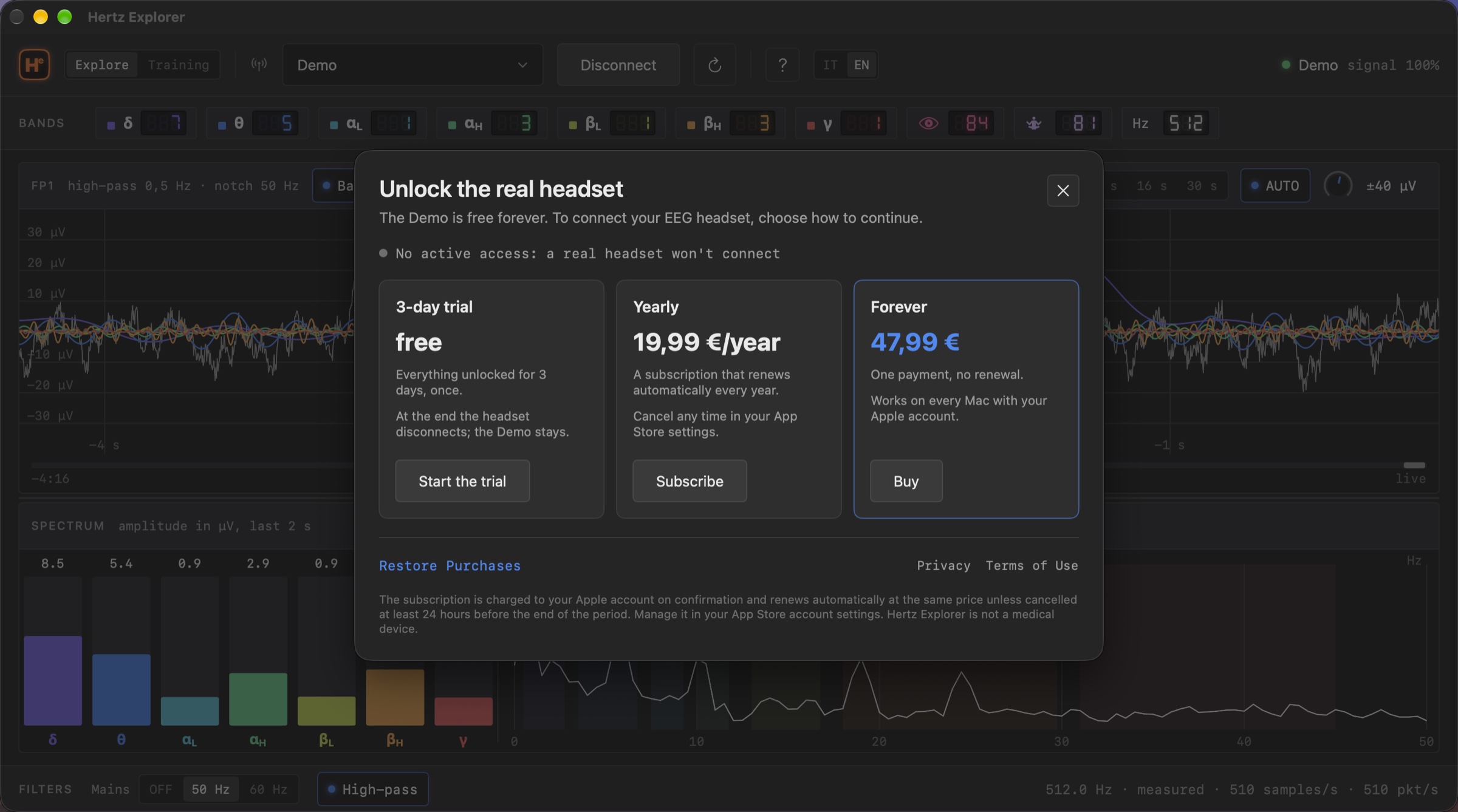
The Unlock window of Hertz Explorer with the three offers: 3-day trial, yearly, forever
The Unlock window. It appears when you press Connect with a headset selected, or from the Signal menu.
Compatibility

What's covered right now.

Said plainly, so you don't buy for nothing. If your headset isn't on the list, try the Demo first and write to us.

The Mac

  • macOS15 Sequoia or later (including macOS 26 and 27)
  • Apple siliconM1, M2, M3, M4 and later: the store version is native Apple silicon
  • Intel Macnot covered by the store version at the moment
  • Bluetooththe Mac's own is enough: the headset pairs in macOS Settings as a serial port
  • Touch BarMacBook Pro 2016–2022, optional: trace and quick controls
  • LanguagesEnglish and Italian, switchable on the fly

The headset

  • NeuroSky MindWave Mobile 2512 samples per second, with the headset's eSense indices shown next to ours
  • TGAM-chip clonese.g. Sichiray and similar, over classic Bluetooth (SPP): about 250 samples per second, rate detected automatically
  • ProtocolThinkGear over Bluetooth serial port (RFCOMM), FP1 electrode and ear clip
  • Bluetooth LE onlyheadsets that only speak BLE (no serial port) are not covered
  • Other EEG systemsMuse, Emotiv, OpenBCI and multi-channel: not covered

Hertz Explorer doesn't use the manufacturers' trademarks: "compatible with" only means the headset speaks the ThinkGear protocol. NeuroSky and MindWave are trademarks of their respective owners.

Questions

What everyone asks.

Is it a medical device? Does it measure my health?

No. Hertz Explorer is an educational tool and a game: it does not diagnose, treat or measure any health condition. A single electrode on the forehead also picks up the eyes, the muscles and the mains, and the app shows you that instead of hiding it. For rigorous recording and analysis there is Hertz 2.0, the high-end tool of the series, built for professional analysis.

How much does it cost?

Downloading is free and the Demo stays free forever, with every feature. To connect a real headset, choose in the "Unlock" window: a free 3-day trial (once), the yearly subscription at €19.99 that renews automatically and can be cancelled any time in your App Store settings, or €47.99 once, forever. Purchases work on every Mac with the same Apple account.

How is it different from the headset's app?

The manufacturers' apps show two numbers, attention and meditation, computed by the chip with a proprietary formula. Hertz Explorer shows the signal they come from: the trace in µV, the 7 bands, the spectrum, and its own indices computed the same way for any headset. If the headset sends its eSense values, you see them anyway.

Can I try it without a headset?

Yes. At launch the app is in Demo mode, with a believable synthetic EEG: trace, bands, spectrum, time machine and training all work. It's also a good way to learn the interface before the headset arrives.

The headset won't connect.

It's almost always the battery: a flat cell looks like a channel that won't open or a silent stream. Try a fresh battery, check that the headset is paired in macOS Bluetooth Settings, press the reload button in the app and leave a few seconds between one attempt and the next.

The signal is full of noise.

Check the contact of the electrode on the forehead and of the clip on the ear, turn on the Mains filter (50 Hz in Europe, 60 Hz in the Americas) and move away from power adapters and cables. Then clench your teeth and blink on purpose: once you've seen what they look like, you recognise noise at a glance.

Does it record sessions? Export data?

No, by choice. Hertz Explorer is a live experience: the time machine keeps the last few minutes in memory and that's it. No files to manage, no data left lying around. Recording and analysis are the job of Hertz 2.0, the high-end tool of the series for professional analysis.

Why do the band numbers arrive with a small delay?

Because they are measured, not estimated. To recognise a slow rhythm like delta the filter needs almost a second of signal; the fast bands respond in a few tenths. In return the filters are linear-phase: the waves are not shifted in time relative to one another.

Hertz Explorer on the Mac App Store

Free, with the full Demo and no time limit. To connect your headset: a 3-day free trial, then €19.99 a year or €47.99 once, forever. Macs with Apple silicon, macOS 15 or later.

Download on the Mac App Store